Ever found yourself staring at a massive Minecraft build project, feeling completely overwhelmed? You’ve got this epic vision, but the thought of placing thousands of blocks one by one makes you want to just give up and play something else.
Trust me, I’ve been there! I remember countless hours spent on tedious terraforming or repeating complex patterns, wishing for a magic wand. Well, what if I told you that magic wand actually exists?
It’s called WorldEdit, and it’s an absolute game-changer for anyone serious about building in Minecraft, from aspiring architects to seasoned server admins.
This powerful mod transforms tedious tasks into quick commands, letting you unleash your creativity on a scale you never thought possible, saving you precious hours and a whole lot of frustration.
Forget the days of endless clicking; embrace efficiency and artistic freedom. Ready to revolutionize your Minecraft building experience and bring your grandest ideas to life with unprecedented speed and precision?
Let’s dive in deeper and explore exactly how to harness its incredible power!
Getting Your Hands Dirty: The WorldEdit Setup
Seamless Installation for Instant Power
Diving into WorldEdit might seem a bit daunting at first, especially if you’re not used to installing mods, but trust me, it’s far simpler than it sounds and absolutely worth the minimal effort. Most of the time, you’ll be looking at either a Fabric or Forge version, depending on your Minecraft setup. I remember my first time trying to get it running; I was nervous I’d break my game! But with clear instructions often found on the CurseForge page or the official WorldEdit wiki, it’s usually a smooth drag-and-drop affair into your ‘mods’ folder. Seriously, just follow the steps, and within minutes, you’ll transform from a block-by-block builder to a wizard wielding unimaginable power. It’s like upgrading from a manual screwdriver to a high-powered electric drill – the difference is night and day, and once you experience it, you’ll wonder how you ever built without it. The initial five minutes of setup will save you hundreds of hours down the line, freeing you up to focus on the actual creative vision instead of the monotonous grunt work.
First Steps: Understanding Selections and Positions
Before you start terraforming entire mountains, you need to grasp the absolute fundamentals: selections. This is where the mighty wooden axe comes in. No, you’re not chopping trees; you’re defining areas! Left-click sets ‘position 1’ and right-click sets ‘position 2’. It’s like drawing a mental box around the space you want to manipulate. I can still vividly recall the thrill of making my first perfect cube selection. Once you have those two points, WorldEdit knows exactly what area you’re talking about, whether it’s a small house or a colossal stadium. Understanding these basic position commands is the gateway to everything else. You can also use commands like //pos1 and //pos2 while standing on the blocks you want to define, which I often find more precise for complex builds. Don’t worry if it feels a little clunky at first; it becomes second nature incredibly fast, and soon you’ll be selecting massive regions with the flick of your wrist, ready to fill them with cobblestone, glass, or whatever your architectural heart desires.
Mastering the Basics: Your Command Arsenal
Simple Shapes, Grand Scale
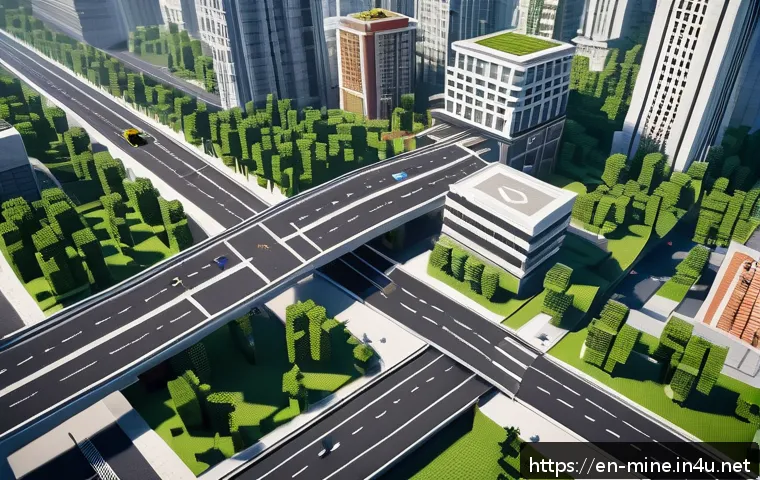
Once you’ve got your selections down, the real fun begins: generating shapes with just a few keystrokes. Forget meticulously placing every single block for a sphere or a cylinder. With WorldEdit, you simply select an area and type commands like //set [block ID], //sphere [block ID] [radius], or //cyl [block ID] [radius] [height]. I remember wanting to build an enormous glass dome for a futuristic city project, and before WorldEdit, it would have taken me days, if not weeks, of painstaking placement. With WorldEdit, it was done in seconds, allowing me to instantly visualize and iterate on my design. It’s truly liberating! You’ll find yourself experimenting with different block types and sizes, creating magnificent structures that once seemed impossible. The ability to create complex geometric shapes with such ease dramatically reduces the barrier to entry for ambitious builders, letting us focus on the grandeur of our ideas rather than the minutiae of block placement.
Undo, Redo, and Safe Building
One of the most anxiety-reducing features of WorldEdit, in my humble opinion, is the //undo and //redo command. We all make mistakes, especially when dealing with such powerful tools. I can’t even count how many times I’ve accidentally deleted half of my build or filled an entire ocean with lava (oops!). That little fear of messing up a huge project used to paralyze my creativity. But with //undo, it’s like having a magical safety net. You can experiment freely, knowing that if something goes horribly wrong, a quick command will revert it. And if you undo too much, //redo has your back. This simple pair of commands is a godsend, allowing for fearless experimentation and rapid prototyping. It empowers you to try out wild ideas, pushing the boundaries of your creativity without the constant dread of irreversible errors. It significantly lowers the stress involved in large-scale building, making the whole process much more enjoyable and efficient.
Copying, Pasting, and Rotating Wonders
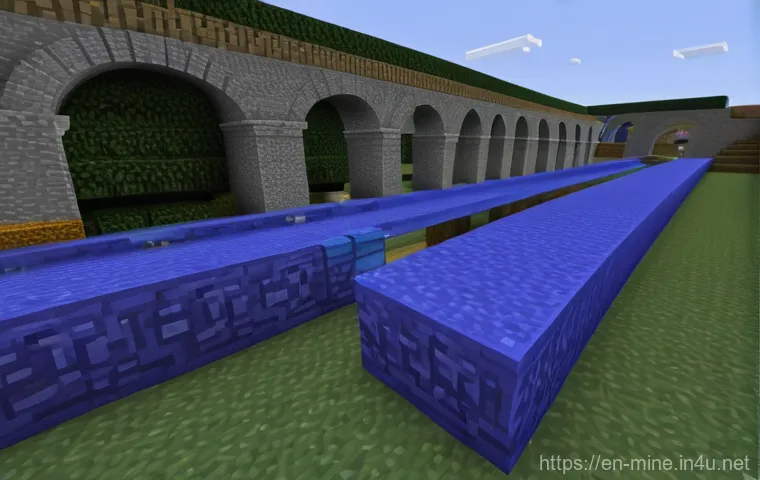
Imagine building a complex intricate pattern, a magnificent archway, or even an entire modular building, and then being able to duplicate it instantly, exactly where you need it. This is where //copy, //paste, and //rotate shine. These commands are absolutely essential for repetitive structures or symmetrical designs. I recall working on a massive Roman-inspired aqueduct, and instead of building each arch by hand, I built one perfect section, copied it, and pasted it along the landscape. Then, I used //rotate to adjust sections as needed, saving me untold hours of repetitive work. It’s an incredible feeling to see your efforts multiply so effortlessly! The precise control over placement and orientation means your duplicated elements integrate flawlessly into your existing world. For server admins building spawns or community areas, these commands are non-negotiable, transforming weeks of work into mere hours. It lets you focus on the unique elements and creative flourishes, knowing the bulk of the repetitive work is handled by WorldEdit’s precise automation.
| Command | Description | Example Usage |
|---|---|---|
| //wand | Gives you the wooden axe selection tool. | //wand |
| //set |
Fills the selected area with the specified block. | //set stone |
| //walls |
Creates walls around the selected area. | //walls glass |
| //sphere |
Generates a solid sphere. | //sphere diamond_block 5 |
| //cyl |
Generates a solid cylinder. | //cyl cobblestone 7 10 |
| //undo | Reverts the last action. | //undo |
| //copy | Copies the selected region. | //copy |
| //paste | Pastes the copied region. | //paste |
Beyond the Blocks: Advanced Terraforming and Sculpting
Creating Natural Landscapes with a Flick of the Wrist
Terraforming is perhaps where WorldEdit truly feels like magic. Gone are the days of laboriously adding or removing individual dirt blocks to create hills or valleys. With commands like //smooth, //erode, and especially the brush tools, you can sculpt breathtaking natural landscapes in minutes. I distinctly remember a massive build where I needed a rolling, natural-looking coastline. Manually shaping every curve and elevation would have driven me insane. Instead, I used a large brush tool with a ‘smooth’ effect, gently sculpting the terrain until it looked perfectly organic. It’s an incredibly satisfying process, watching vast expanses of flat land transform into dynamic, living landscapes before your very eyes. This capability allows you to focus on the overall artistic vision of your world, creating diverse biomes and dramatic geographical features with unprecedented speed and fluidity. It’s an absolute game-changer for anyone aspiring to build truly immersive and expansive worlds, making the previously impossible feel effortlessly achievable.
Brushes and Masks: Precision in the Grand Design
While the basic set/fill commands are powerful, WorldEdit’s brush tools elevate your control to an art form. Imagine holding a paintbrush in Minecraft, but instead of paint, you’re spreading stone, carving out caves, or even planting entire forests with a single click. Brushes come in various shapes and sizes, each with different functions like ‘smooth,’ ‘sphere,’ ‘cylinder,’ or ‘forest.’ You can also use ‘masks’ to restrict what blocks your brush affects. For instance, I once used a ‘forest’ brush with a mask that only affected ‘dirt’ and ‘grass’ blocks, ensuring I didn’t accidentally plant trees on my meticulously built paths. It’s this level of granular control that separates good builds from truly phenomenal ones. The combination of brushes and masks allows for incredibly detailed and precise adjustments to your world, giving you the power to fine-tune every aspect of your environment. It’s an empowering feature that lets you blend creativity with surgical precision, transforming grand visions into beautifully executed realities without compromise.
Smart Building Strategies: Efficiency is Key
Working with Schematics: Blueprints for Success
For any serious builder, server owner, or even just someone who wants to transfer builds between worlds, schematics are an absolute lifesaver. Think of them as blueprints or save files for your builds. Once you’ve perfected a house, a statue, or even a small village, you can select it, use //schematic save [name], and then load it into any other world with //schematic load [name] and //paste. I’ve used schematics countless times to save my favorite custom trees or to quickly drop pre-designed structures into new maps. It completely eliminates the need to rebuild things from scratch, making large-scale projects incredibly efficient. It’s like having an infinite library of your own creations, ready to be deployed at a moment’s notice. This feature alone drastically reduces development time for complex projects, allowing you to reuse assets and maintain consistency across multiple builds or even different servers. It’s a testament to WorldEdit’s utility in streamlining the entire building process, turning what used to be a tedious chore into a seamless, enjoyable experience.
Optimizing Your Workflow: Keyboard Shortcuts and Aliases
Once you’re comfortable with the commands, the next step in becoming a true WorldEdit master is optimizing your workflow. This means embracing keyboard shortcuts and custom aliases. For instance, instead of typing //set stone every time, you could set up an alias like ‘s’ for //set stone. While WorldEdit doesn’t have a built-in graphical interface for custom hotkeys, many players use third-party client mods or macros to bind common commands to single key presses. I personally configured a few simple macros through my keyboard software for my most-used commands, and it dramatically sped up my building process. Imagine pressing a single key to undo, or another to quickly switch your brush type. These small optimizations might seem trivial, but they compound over hours of building, saving you valuable seconds and keeping you in the creative flow. It’s about minimizing friction between your brilliant ideas and their manifestation in the game, allowing you to build faster and more fluidly than ever before.
Troubleshooting Common Hiccups & Pro Tips I’ve Learned
“My Commands Aren’t Working!”: Quick Fixes
It happens to the best of us: you type a command, hit enter, and… nothing. Or worse, an error message. Don’t panic! The first thing I always check is whether I actually have WorldEdit installed correctly and if it’s compatible with my current Minecraft version. A mismatch there is a classic culprit. Next, double-check your syntax. Are there any typos? Did you use the correct block IDs (e.g., ‘stone’ vs. ‘minecraft:stone’)? Also, ensure you have the necessary permissions if you’re on a server. Sometimes, it’s as simple as forgetting to make a selection first. I’ve wasted a good five minutes trying to //set blocks without //wand-ing first, feeling a bit silly when I realized my mistake. A quick restart of Minecraft or your server can also magically resolve some issues. Most errors are easily fixable once you know what to look for, and a bit of patience and systematic checking will usually get you back on track to building greatness in no time, so keep calm and command on!
My Personal Favorites: Time-Saving Tricks You Can’t Live Without
Over the years, I’ve picked up a few WorldEdit tricks that have become absolutely indispensable. One of my absolute favorites is using the //repost command with an offset. This lets you paste the last copied selection relative to your current position, which is fantastic for creating repeating patterns or large linear structures with precision. Another gem is combining //drain with //fill air for quickly removing water or lava from large areas. Seriously, no more manually scooping up every single block of liquid! I also love using a ‘hollow’ sphere brush when creating domes or spheres; it saves you the extra step of hollowing it out later. And for those awkward spots, don’t forget //fixwater and //fixlava – they’ll even out those pesky flowing blocks. These aren’t just obscure commands; they are genuine quality-of-life improvements that will drastically speed up your building process and reduce frustration. Trust me, once you incorporate these into your routine, you’ll wonder how you ever managed without them, making your building experience smoother and much more enjoyable.
Unleashing Your Inner Architect: Creative Applications
Crafting Epic Structures in Minutes
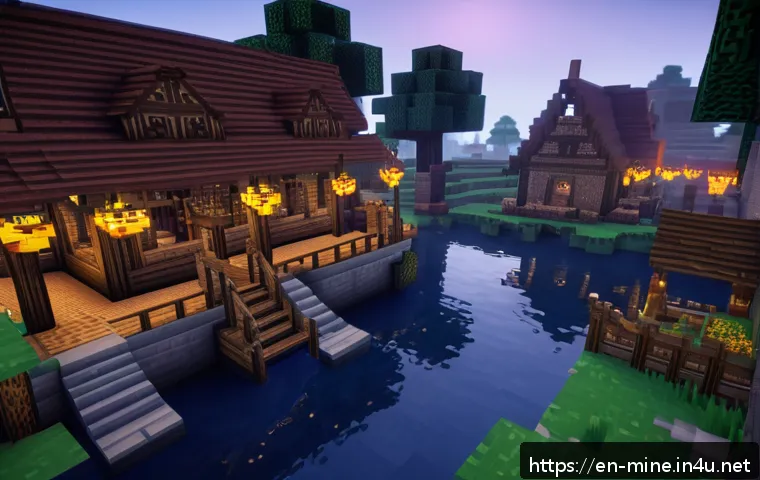
The true beauty of WorldEdit isn’t just in its efficiency; it’s in the way it empowers you to realize architectural visions that would otherwise be utterly impossible due to time constraints. I’ve personally built sprawling castles, intricate underground cities, and even entire floating islands that would have taken months or even years of manual labor. With WorldEdit, these projects become feasible within a reasonable timeframe, allowing your wildest dreams to take tangible form in your Minecraft world. Imagine laying down the foundations of a massive fortress in mere seconds, or shaping a colossal mountain range to cradle your new city. This mod frees you from the shackles of repetitive tasks, allowing your mind to soar with grand designs and intricate details. It transforms you from a mere block-placer into a true digital architect, capable of shaping entire landscapes and civilizations with unprecedented ease and speed, making the creative process profoundly more satisfying.
Transforming Your World: From Barren Lands to Lush Biomes
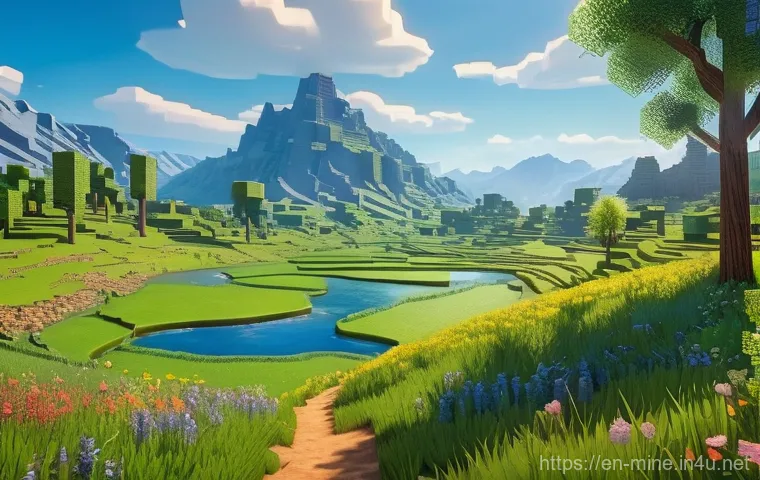
WorldEdit isn’t just for building structures; it’s a phenomenal tool for world customization and terraforming on a massive scale. Have a bland, flat spawn area you want to spice up? You can replace large swathes of dirt with custom terrain, sculpt dramatic canyons, or even generate entire forests using brush tools and fill commands. I once took a completely flat survival world and, using WorldEdit, carved out a series of majestic valleys and winding rivers, making it feel like a truly unique and hand-crafted landscape. The ability to quickly introduce diverse biomes or alter existing ones, whether through natural generation commands or custom block placements, adds an incredible layer of depth to your world. It means you’re no longer confined to the limitations of default world generation; you are the master of your domain, capable of transforming barren lands into lush, vibrant ecosystems that perfectly suit your creative vision. This freedom to mold your environment fundamentally changes how you interact with and build within Minecraft.
Wrapping Things Up
And there you have it, fellow builders! WorldEdit isn’t just another mod; it’s a monumental shift in how we approach creation in Minecraft. From the moment I first swapped my pickaxe for the magical wooden axe, I knew my building journey would never be the same. It liberates you from the tedious, block-by-block grind and propels you into a realm of pure architectural imagination. This isn’t just about saving time; it’s about unlocking your full creative potential, letting your grandest visions take tangible form with unprecedented ease. So, if you’ve been on the fence, I wholeheartedly encourage you to dive in. Experiment, explore, and let WorldEdit transform your building experience – trust me, you’ll wonder how you ever lived without it!
Good to Know Tips
1. Always, and I mean *always*, back up your world before undertaking massive WorldEdit operations. It’s a lifesaver when an accidental //set air replaces your entire castle instead of just a wall!
2. Don’t be afraid to experiment in a separate creative test world. This way, you can mess around with commands, brush settings, and selection techniques without any risk to your main projects.
3. Spend some time on the official WorldEdit wiki. It’s an invaluable resource for discovering advanced commands, understanding syntax, and learning about lesser-known features that can significantly enhance your workflow.
4. Get familiar with the //help command directly in-game. Typing //help, //help
5. Consider using a custom block palette. WorldEdit often relies on block IDs or names, and having a consistent list of your favorite blocks and their correct identifiers will speed up your //set and //replace commands tremendously.
Key Takeaways
WorldEdit empowers builders with unparalleled efficiency and creative freedom. It enables rapid construction, seamless terraforming, and the ability to correct mistakes effortlessly with //undo. By mastering its tools, you can transform your Minecraft experience, turning once-daunting projects into enjoyable creative endeavors.
Frequently Asked Questions (FAQ) 📖
Q: What exactly is WorldEdit, and why is everyone calling it a “magic wand” for Minecraft builders?
A: Oh, believe me, when I first heard “magic wand,” I was skeptical too! But after using it, I totally get it. WorldEdit isn’t just another mod; it’s a colossal toolkit that lets you manipulate your Minecraft world with incredible precision and speed.
Think of it this way: instead of painstakingly placing individual blocks, you can select huge areas – from a small house to an entire mountain range – and then use simple commands to fill them, replace block types, copy and paste structures, or even smooth out terrain.
It literally cuts down hours of repetitive work into minutes. I remember trying to build a massive dome by hand once; it took forever! With WorldEdit, I can create one in a few commands.
It saves your sanity and frees you up to focus on the design aspect, not the tedious grunt work. That’s why it feels like magic – it gives you god-like control over your builds!
Q: Sounds amazing, but is WorldEdit really easy to pick up, especially for someone who’s not super tech-savvy with mods?
A: That’s a fantastic question, and one I worried about myself when I first dipped my toes in! I’m not going to lie, there’s a bit of a learning curve, just like with any powerful tool.
It’s not quite point-and-click at first, but it’s much, much easier than you might imagine. The core commands, like selecting an area with the wooden axe (your “wand”!), and then using or , are incredibly intuitive once you try them a couple of times.
I found that watching a few quick YouTube tutorials and just experimenting in a test world for an hour or so made a huge difference. You don’t need to be a coding wizard; you just need a willingness to type a few simple words into chat.
Plus, the online community is super helpful if you ever get stuck. Trust me, the time invested in learning the basics pays off exponentially in saved building time and reduced frustration.
You’ll be surprised how quickly you become comfortable with it!
Q: Beyond just placing blocks faster, what are some of the coolest things I can actually do with WorldEdit that will truly transform my building?
A: This is where the real fun begins! While speed is a huge benefit, WorldEdit’s true power lies in what it enables creatively. For instance, have you ever wanted to sculpt epic landscapes?
You can terraform entire mountains, carve out huge caves, or generate custom biomes with just a few commands. Need to move an entire castle you just built to a different spot?
No problem – copy and paste it! You can even save complex structures as “schematics” to paste into other worlds, which is a lifesaver for server owners building hubs or minigames.
And what about fixing those annoying light glitches after a huge build? There’s a command for that! My personal favorite is using brushes to paint terrain textures or create organic shapes quickly.
It feels less like building and more like digital sculpting. It genuinely elevates your building from just block-by-block construction to true architectural design and large-scale artistic expression.